
What an iPhone can do
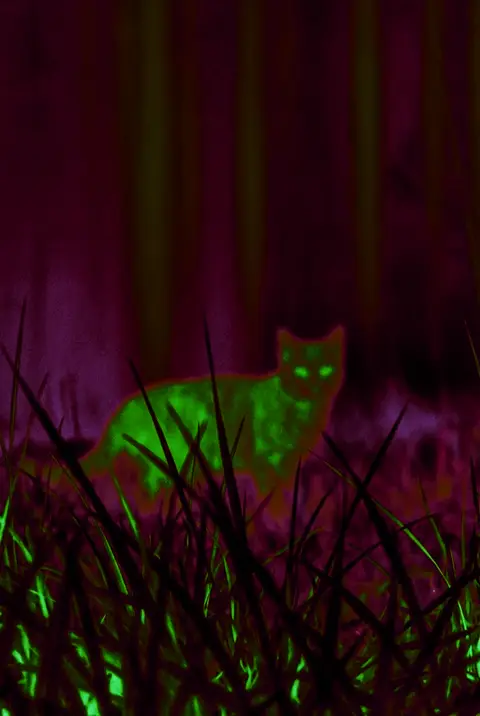
A standard iPhone camera records visible light. Night mode can use a longer exposure, multi-frame capture, and computational processing to make a low-light scene brighter. A creative filter remaps the brightness and color of the pixels already captured, giving a scene a thermal-inspired or night vision look.
Both approaches can make a dark photo look more readable, but neither reads infrared information that the camera did not capture. In complete darkness there is no visible detail for a filter to recover.
Night filters vs. infrared devices
- Night filter: processes visible-light pixels from the iPhone camera for creative effects and observation.
- Infrared night vision: uses infrared illumination or a specialized sensor to capture additional information.
- Thermal imager: senses infrared radiation and can show temperature differences. It is dedicated hardware.
How to take a clearer iPhone night photo
- Stabilize the phone against a wall, railing, or small tripod to reduce long-exposure blur.
- Keep the brightest lamp near the edge of the frame so it does not force the exposure too low.
- Tap your subject and adjust exposure down slightly to preserve highlights.
- Keep the original, then try a thermal or Night Vision look so you can compare the result.
Who Thermal Imaging Camera Filters is for
If you want to turn a regular night scene into a recognizable visual style, or use green night vision and warm thermal palettes to observe pets and surroundings, the app starts with the camera or your photo library. It includes multiple palettes, intensity control, photo and video support, and a history view.
Frequently asked questions
Can an iPhone see in complete darkness?
Not with a standard camera alone. It needs some visible light, or separate infrared hardware and illumination.
Will a night filter brighten a photo?
It changes the contrast and color of existing pixels. It cannot replace a light source when the original has no detail.